
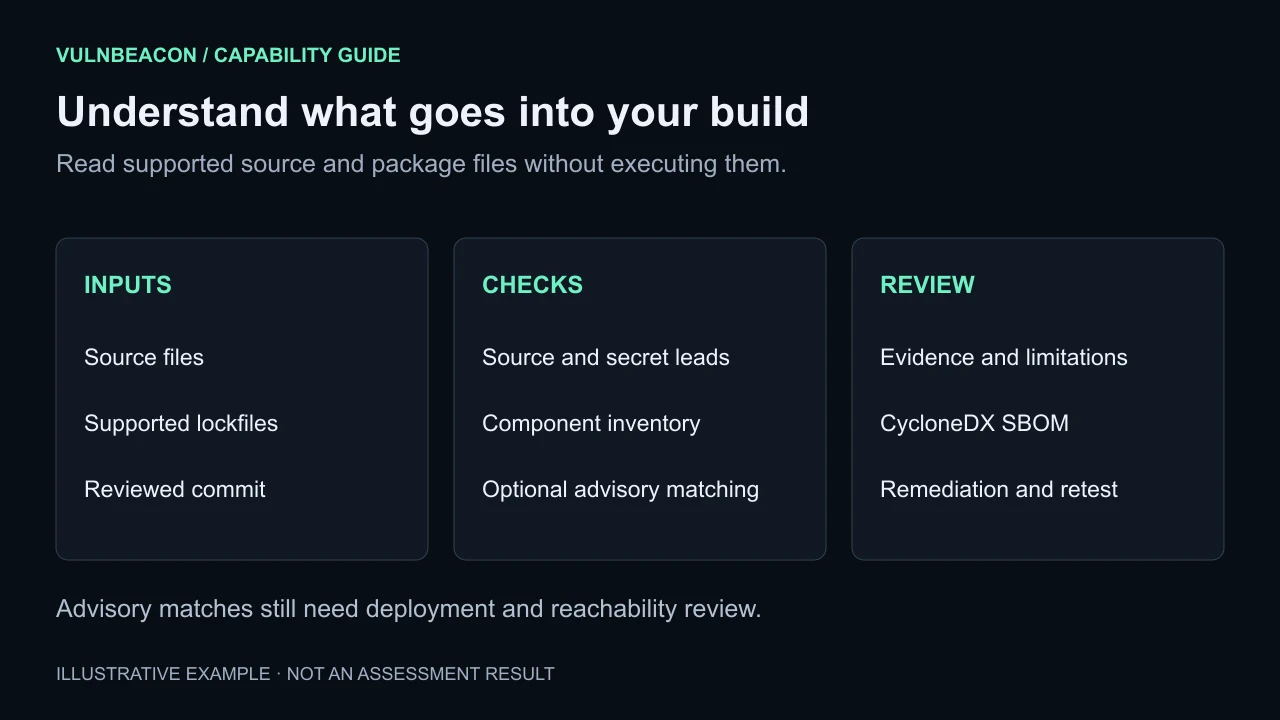
Review source without running it
Choose Code & supply chain in the guided assessment flow and supply the source you want reviewed. VulnBeacon inspects supported files without executing the uploaded application or installing its dependencies.
- Source security leads
- Review rule-based observations in first-party code and configuration. The source location and supporting evidence help an analyst investigate; a static match alone does not confirm exploitability.
- Named secret patterns
- Look for private keys, credential assignments and supported AWS, GitHub, Slack and Stripe secret patterns. Detected values are redacted. Recognized placeholders, environment references and public identifiers are handled separately.
- Build context
- Keep the reviewed source commit alongside the application's recorded deployed commit. A mismatch appears in the assessment context and limitations. A commit supplied for a ZIP is labeled as declared.
Follow the dependencies your lockfiles record
Build a component inventory from supported package files across JavaScript, Python, Rust, Go, Ruby, PHP, .NET and Gradle/Maven ecosystems.
- JavaScript: npm package-lock, Yarn v1/Berry and pnpm lockfiles.
- Python: pinned requirements, Poetry, uv and Pipfile.lock.
- Other supported inputs: Cargo.lock, go.sum, Gemfile.lock, composer.lock, NuGet packages.lock.json and gradle.lockfile.
Export the inventory as a CycloneDX software bill of materials (SBOM). Inventory quality and coverage depend on the supplied files; the scan does not establish the exact components running in production.
Review advisory matches with their limits intact
Opt into OSV lookups for supported resolved package versions, or supply an offline advisory file. Findings can include CVE aliases and available fixed-version guidance to help plan an upgrade.
Offline matching supports exact versions and selected version ranges. Range matches retain their confidence and limitations; some ecosystem ordering uses a generic comparator, and Git ranges remain unevaluated. Package reachability and deployment applicability require further review.
OSV lookup is optional and sends package/version metadata when enabled. Source files are not submitted to OSV.
Carry the result into remediation
- Choose the source and context. Select the application, supply the source, and identify the reviewed commit where available.
- Review inputs and coverage. Choose advisory lookup options and inspect the plan's missing prerequisites and limitations.
- Investigate the leads. Review affected files, dependency versions and evidence before assigning priority or deciding on a fix.
- Retest the change. Link a comparable source assessment or document a manual retest with evidence. Preserve the original result and its provenance.
Use security reports to share findings and the SBOM. Optional AI assistance can draft explanations from recorded, redacted findings for human review.
Code-review questions
Does the scanner install or execute my uploaded code?
No. Source review reads supported files. It does not run package scripts or application code.
Will every public token be reported as a leaked secret?
No. Recognized public identifiers are distinguished from secret patterns. For example, a browser Google API key can receive an informational restriction-review note rather than a secret finding.
Does an advisory match prove the application is vulnerable?
No. It is evidence to investigate against the actual deployed version, affected functionality and application context. Pair source review with declared API permission checks and the other assessments relevant to your scope.